Insofta 3D Text Commander is a simple application to convert plain text to beautiful 3D designs. Useful if you want to make a text logo, banners, headings, messages, or visual titles for websites, documents, and presentations.
You have templates ready created in the software and don't have to create everything from scratch. Add text and images to create intricate builds; select any font on the computer; edit the font colors and size; set transparency; and position the 3D text exactly where desired in real-time using drag-and-drop.
It also enables you to animate your text so that it becomes more noticeable. Rotate 3D banners with just a few settings and apply various textures from its included texture library to enhance your design and make it look more polished and professional.
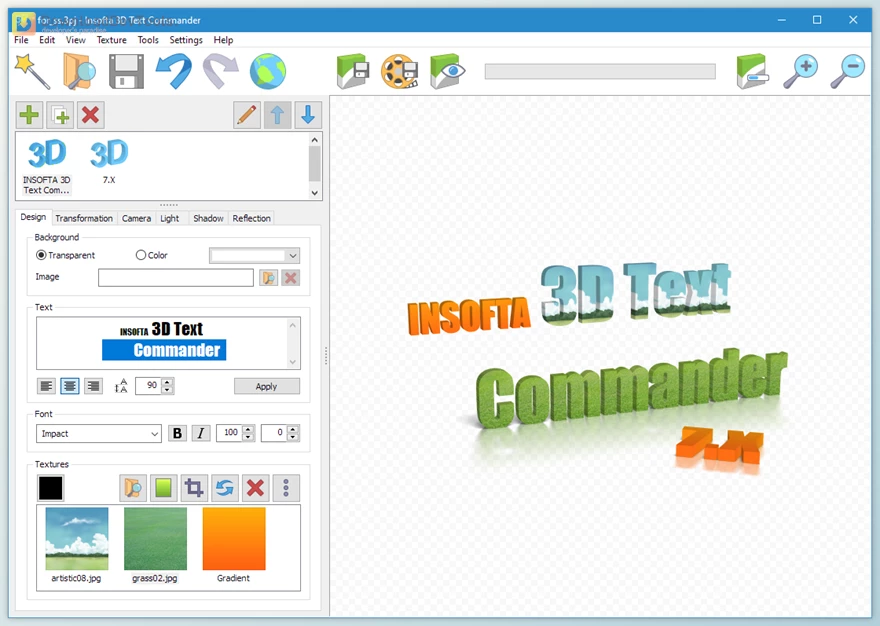
Key Features of Insofta 3D Text Commander:
- 3D Text Creation: Turns plain text into professional-looking 3D text for logos, banners, and presentations.
- Ready-Made Templates: Includes professional templates to help you create designs faster.
- Custom Font Support: Allows you to use any font installed on your system.
- Color and Size Control: Lets you customize the color, size, and overall appearance of your 3D text.
- Transparency Settings: Helps you create softer or layered visual effects by adjusting text transparency.
- Real-Time Positioning: Allows you to drag and place your 3D text directly on the screen.
- Image Support: Lets you add your own pictures alongside your text designs.
- Animation Options: Can turn static 3D text into rotating animated banners.
- Texture Library: Includes a collection of textures to give your 3D text different styles and finishes.
Click on the links below to Download the latest version of Insofta 3D Text Commander with Keygen!

Note Download speed is limited, for download with higher speed (2X) please register on the site and for download with MAXIMUM speed please join to our VIP plans.

Discover free tools, limited-time offers, and stay updated with the latest software we release.






You are replying to :